
Routespring operations guides
Travel Credits Management: How Airlines and Businesses Can Recover Value From Unused Tickets
Learn how to capture unused airline ticket credits, manage eligibility and residual value, and track expiry across crew and corporate travel with Routespring.
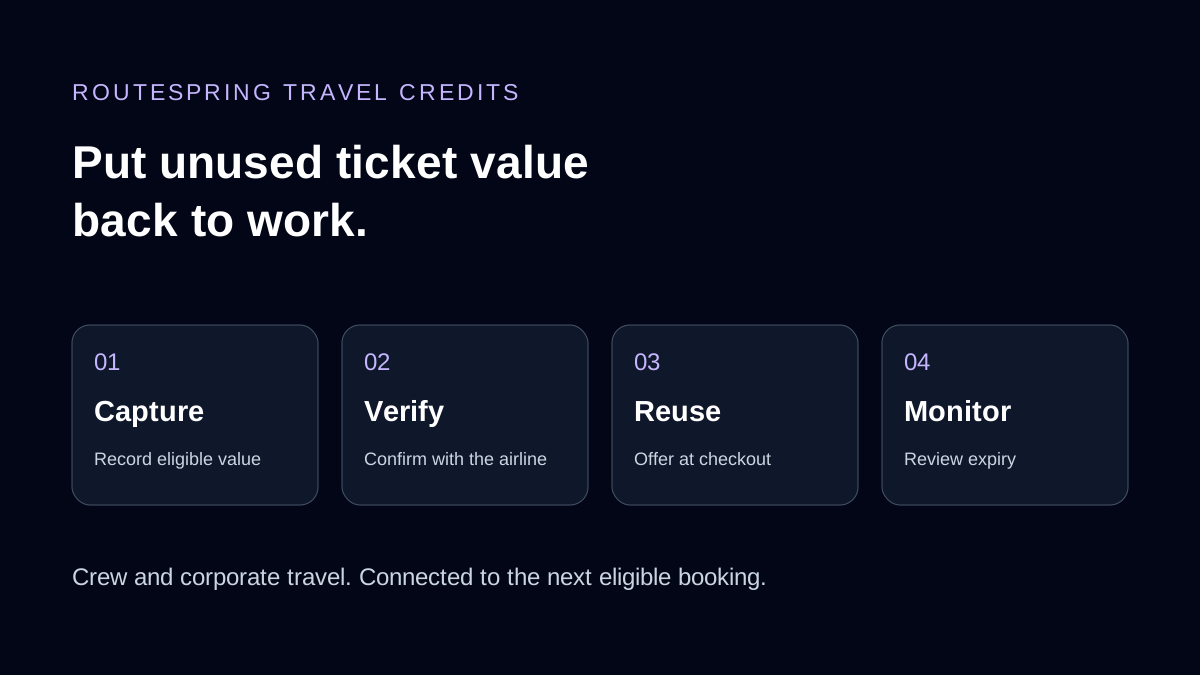
- 1Capture eligible value
- 2Verify with the airline
- 3Offer at checkout
- 4Monitor expiry
Travel credits management helps organizations identify eligible value from unused airline tickets, record the conditions for reuse, track expiry and apply credits to future bookings. It connects money already spent with the next opportunity to travel.
A canceled or changed flight can create a financial question: what happens to the ticket value? Depending on airline and fare rules, the outcome may be a refund, an airline credit, a partial refund or no recoverable value.
For airline crew schedulers and corporate travel teams, keeping track of that outcome is part of managing the trip. Routespring connects eligible credits with cancellation and booking workflows, with a 24/7 operations team supporting airline-side exchanges that need assistance.
Why do unused airline credits get overlooked?
A crew member is reassigned. The original positioning flight is canceled, and the fare conditions permit an airline credit. The credit is linked to a traveler, an airline and an expiry date.
Weeks later, the scheduler needs another flight. Under time pressure, the team makes a new booking without connecting it to the previous cancellation. New funds are spent while eligible credit value remains unused.
The same problem occurs in corporate travel when a meeting moves or a project changes. Credit information may be spread across traveler emails, booking records and spreadsheets, making it difficult to see what is available at the moment it could be used.
A reliable credit workflow connects the original ticket, the cancellation outcome, the traveler profile and future eligible bookings. Finance also needs a way to identify value approaching expiry and give follow-up work a clear owner.
What makes airline credit management complicated?
Airline credits carry conditions. A visible balance alone does not establish whether it can pay for a new ticket.
| Condition | What the booker needs to check |
|---|---|
| Traveler eligibility | Whether the credit must be used by the original traveler and whether the ticketed name matches |
| Airline eligibility | Which issuing airline and permitted flights can accept the credit |
| Fare restrictions | Whether the new fare allows payment with that credit |
| Booking channel | Whether redemption can complete directly or needs an airline-assisted exchange |
| Remaining value | Whether an unused balance can be retained or will be forfeited |
| Expiry | The applicable original deadline, including after a rebooking |
These rules vary by airline and ticket. For example, a missing middle name can require confirmation before ticketing, while a restricted fare may not accept the credit at all. Some corporate arrangements permit different transfer rules, so eligibility should be checked against the actual ticket conditions.
How does Routespring automate travel credit management?
Routespring Travel Credits Management connects credit capture, verification, redemption and reporting within the travel platform. Each stage keeps the ticket value connected to the traveler and booking context.
1. Capture eligible value during cancellation
Before a traveler or booker confirms a supported cancellation, Routespring displays available refund or credit information and the amount in the booking currency. The resulting eligible credit is recorded against the traveler profile automatically.
This gives the booker financial context before making the change and reduces the need to copy credit details into a separate spreadsheet. Fares that require airline assistance are handled with operations support.
2. Verify provisional credits with the airline
A potential credit is not always confirmed immediately. Routespring records unconfirmed value provisionally and opens an operations task to verify it with the airline.
The operations team confirms the credit before it becomes available to the booker. This keeps a possible cancellation outcome distinct from confirmed value that can be considered for a future booking.
3. Offer available credits at checkout
When the traveler next books an eligible fare with the applicable airline, available credits appear at checkout. The booker can select a credit within the booking flow.
Cross-channel redemption can require additional processing. Where supported, a booker can select a credit issued through another booking channel and Routespring's team completes the exchange with the airline. The workflow combines booker selection with operational assistance where needed.
4. Check airline restrictions before ticketing
Routespring checks relevant conditions that commonly prevent credit redemption. It flags differences between the traveler profile and the credit, such as a missing middle name, and requests confirmation before ticketing.
Fare eligibility checks block credit use where airline rules prohibit it, including applicable basic economy restrictions. The purpose is to address an eligibility problem during booking, before the ticket is issued.
5. Manage remaining credit value
If an available credit is worth more than the new fare, airline rules determine what happens to the difference. Supported exchanges reissue residual value as a new credit where the airline permits it.
When the airline forfeits the balance, configurable policies let the organization set how much it is willing to give up on a single booking. This helps bookers consider the value being used alongside the amount being lost.
6. Keep expiry dates accurate through changes
Rebooking should retain the applicable original credit expiry date. Otherwise, the record can appear to show usable value after the airline's deadline has passed.
Routespring preserves that original expiry through supported rebooking workflows. When a qualifying credit-funded ticket is voided, the original credit is reinstated. Accurate dates help travel and finance teams make decisions from the same record.
7. Give finance an Expiring Credits view
The Travel Credits report includes an Expiring Credits view showing days to expiry for open credits. Credits are grouped into 30-day windows, with a total for the next 180 days and an export for follow-up with travelers or managers.
The report gives the team a practical review horizon. Assign someone to review the export, connect upcoming travel with eligible credits and follow up on cases that need airline assistance. Visibility supports action; the team still needs to act before the deadline.
Why does this matter for airline crew travel?
Crew schedules change frequently. A reassignment, disruption or revised positioning requirement may cancel one flight and create another under significant time pressure.
Each eligible cancellation can leave credit value that needs to stay connected to the crew member and the next booking. Routespring captures credits as part of the cancellation and rebooking workflow, while its 24/7 operations team handles airline-side exchanges that need assistance.
Credit management fits into Routespring's airline crew travel platform, alongside lodging, operational support, payments and financial visibility. Schedulers can keep booking while the supporting airline work remains with the operations team.
How can corporate travel and finance teams use the same workflow?
Corporate travelers also change plans. A centralized process helps travel managers avoid reconstructing credit history from individual emails or asking finance to resolve it after expiry.
The next eligible booking is the useful moment to surface the credit. Finance needs a longer view: what remains open, who owns it and when it expires.
Corporate travel management and credit reporting bring those perspectives together. Bookers can consider existing value before spending new funds, and managers can use the expiry report to prioritize follow-up.
What should a travel credits review include?
Use a regular review to connect the credit list with upcoming travel and unresolved airline tasks:
- Check the traveler, airline and applicable expiry for each open credit.
- Separate provisional credits awaiting verification from confirmed value.
- Review credits approaching expiry using the 30-day groupings and 180-day view.
- Identify future bookings that meet the airline and fare conditions.
- Confirm name differences or other eligibility questions before ticketing.
- Review residual-value treatment when a new fare is lower than the credit.
- Assign follow-up for exchanges that require airline assistance.
Measure the results using your own booking and credit records. Credit value identified, value reused and value expired describe different outcomes and should be reported separately. Avoid treating the face value of every open credit as a guaranteed saving.
How is booking-platform credit management different from an AI recovery agent?
Travel Credits Management is built into the Routespring booking platform: it connects supported cancellations, traveler records, checkout and expiry reporting.
Unused ticket and credit recovery is a separate Routespring Automation offering for recovery workflows in existing travel systems. Choose the discussion that matches your environment: managing credits within Routespring, or assessing a recovery workflow across your current travel booking platform.
Frequently asked questions
What is travel credits management?
Travel credits management identifies eligible unused ticket value, records airline and traveler restrictions, tracks expiry dates and applies available credits toward future eligible travel.
Does canceling a flight always create a credit?
No. Airline and fare conditions determine whether a canceled ticket returns a refund, a credit, a partial refund or no recoverable value.
Can an airline credit be used through a different booking channel?
Some eligible credits can be selected for supported cross-channel exchanges. Routespring's operations team completes the airline-side exchange when assistance is required.
What happens to leftover credit value?
Where airline rules allow it, supported exchanges issue the residual value as a new credit. Otherwise a balance may be forfeited, subject to configured policies.
How far ahead does Routespring show expiring credits?
The Expiring Credits view includes days to expiry, 30-day groupings and a total for the next 180 days, with exportable information for traveler or manager follow-up.
Make more of the travel budget you already spent
Eligible unused ticket credits are value worth managing through the next booking, not just recording at cancellation. Connect capture, airline verification, checkout and expiry reporting so travel and finance teams can work from the same information.
Explore Routespring Travel Credits Management or book a demo to walk through your crew or corporate travel workflow.